rda.earth photo map
Each red box marks a photo on the live site, and its number matches the list beside it. The list names the exact entry in the editor that sets that photo. Click a box to find it in the list, or click a number in the list to find the photo. Grey dashed boxes are logos and images built into the page; Laguna changes those for you.
Screenshots taken 2026-11-16. A photo changed since then shows its old version here.
/

- Photos and alt text › item 22 (Menu · photo 1 (decorative)) › Photo Open in the editor
/media/trda-reef-blue.webpNot visible in the screenshot (a slider, menu or hidden layer). - Photos and alt text › item 23 (Menu · photo 2 (decorative)) › Photo Open in the editor
/media/trda-training.webpNot visible in the screenshot (a slider, menu or hidden layer). - Photos and alt text › item 24 (Menu · photo 3 (decorative)) › Photo Open in the editor
/media/trda-coral.webpNot visible in the screenshot (a slider, menu or hidden layer). - Photos and alt text › item 25 (Menu · photo 4 (decorative)) › Photo Open in the editor
/media/trda-cenote-casa.webpNot visible in the screenshot (a slider, menu or hidden layer). - Photos and alt text › item 26 (Menu · photo 5 (decorative)) › Photo Open in the editor
/media/trda-coast2.webpNot visible in the screenshot (a slider, menu or hidden layer). - Photos and alt text › item 2 (Home · commitments wide photo) › Photo Open in the editor
/media/tr-coral.webp - Photos and alt text › item 4 (Home · paper protection band (decorative)) › Photo Open in the editor
/media/trda-mangrove.webp - Photos and alt text › item 3 (Home and About · THRIVE family band) › Photo Open in the editor
/media/tr-family.webp - Photos and alt text › item 5 (Every page · partner band at the foot (decorative)) › Photo Open in the editor
/media/trda-sunrise.webp
2 not editable here
- Built into the page. Ask Laguna to change it.
/img/trda2.svgNot visible in the screenshot (a slider, menu or hidden layer). - Built into the page. Ask Laguna to change it.
/img/trda2-light.svg
/about/
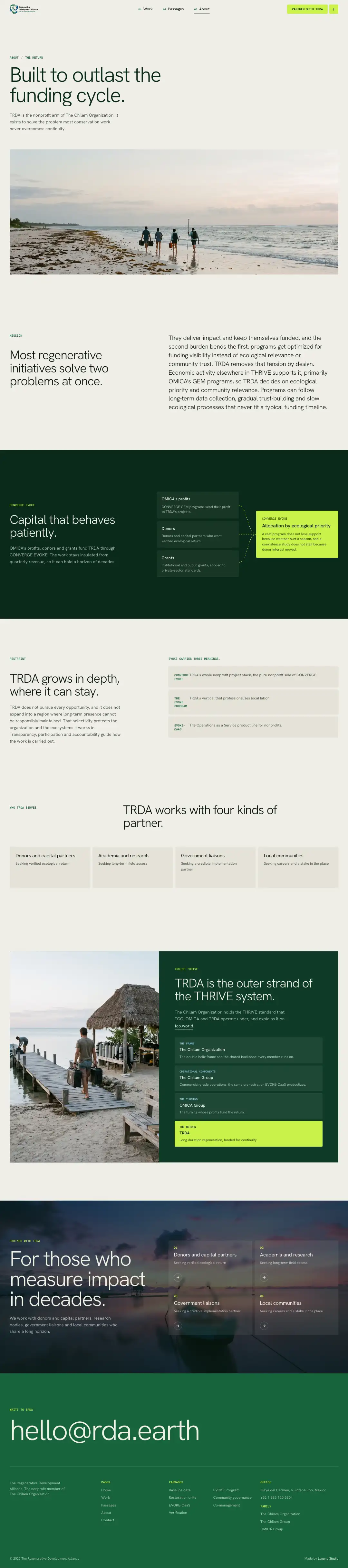
- Photos and alt text › item 7 (About page · hero photo) › Photo Open in the editor
/media/tr-about.webp - Photos and alt text › item 22 (Menu · photo 1 (decorative)) › Photo Open in the editor
/media/trda-reef-blue.webpNot visible in the screenshot (a slider, menu or hidden layer). - Photos and alt text › item 23 (Menu · photo 2 (decorative)) › Photo Open in the editor
/media/trda-training.webpNot visible in the screenshot (a slider, menu or hidden layer). - Photos and alt text › item 24 (Menu · photo 3 (decorative)) › Photo Open in the editor
/media/trda-coral.webpNot visible in the screenshot (a slider, menu or hidden layer). - Photos and alt text › item 25 (Menu · photo 4 (decorative)) › Photo Open in the editor
/media/trda-cenote-casa.webpNot visible in the screenshot (a slider, menu or hidden layer). - Photos and alt text › item 26 (Menu · photo 5 (decorative)) › Photo Open in the editor
/media/trda-coast2.webpNot visible in the screenshot (a slider, menu or hidden layer). - Photos and alt text › item 3 (Home and About · THRIVE family band) › Photo Open in the editor
/media/tr-family.webp - Photos and alt text › item 5 (Every page · partner band at the foot (decorative)) › Photo Open in the editor
/media/trda-sunrise.webp
2 not editable here
- Built into the page. Ask Laguna to change it.
/img/trda2.svg - Built into the page. Ask Laguna to change it.
/img/trda2-light.svgNot visible in the screenshot (a slider, menu or hidden layer).
/contact/
- Photos and alt text › item 22 (Menu · photo 1 (decorative)) › Photo Open in the editor
/media/trda-reef-blue.webpNot visible in the screenshot (a slider, menu or hidden layer). - Photos and alt text › item 23 (Menu · photo 2 (decorative)) › Photo Open in the editor
/media/trda-training.webpNot visible in the screenshot (a slider, menu or hidden layer). - Photos and alt text › item 24 (Menu · photo 3 (decorative)) › Photo Open in the editor
/media/trda-coral.webpNot visible in the screenshot (a slider, menu or hidden layer). - Photos and alt text › item 25 (Menu · photo 4 (decorative)) › Photo Open in the editor
/media/trda-cenote-casa.webpNot visible in the screenshot (a slider, menu or hidden layer). - Photos and alt text › item 26 (Menu · photo 5 (decorative)) › Photo Open in the editor
/media/trda-coast2.webpNot visible in the screenshot (a slider, menu or hidden layer).
2 not editable here
- Built into the page. Ask Laguna to change it.
/img/trda2.svg - Built into the page. Ask Laguna to change it.
/img/trda2-light.svgNot visible in the screenshot (a slider, menu or hidden layer).
/services/
- Photos and alt text › item 22 (Menu · photo 1 (decorative)) › Photo Open in the editor
/media/trda-reef-blue.webpNot visible in the screenshot (a slider, menu or hidden layer). - Photos and alt text › item 23 (Menu · photo 2 (decorative)) › Photo Open in the editor
/media/trda-training.webpNot visible in the screenshot (a slider, menu or hidden layer). - Photos and alt text › item 24 (Menu · photo 3 (decorative)) › Photo Open in the editor
/media/trda-coral.webpNot visible in the screenshot (a slider, menu or hidden layer). - Photos and alt text › item 25 (Menu · photo 4 (decorative)) › Photo Open in the editor
/media/trda-cenote-casa.webpNot visible in the screenshot (a slider, menu or hidden layer). - Photos and alt text › item 26 (Menu · photo 5 (decorative)) › Photo Open in the editor
/media/trda-coast2.webpNot visible in the screenshot (a slider, menu or hidden layer). - Photos and alt text › item 5 (Every page · partner band at the foot (decorative)) › Photo Open in the editor
/media/trda-sunrise.webp
2 not editable here
- Built into the page. Ask Laguna to change it.
/img/trda2.svg - Built into the page. Ask Laguna to change it.
/img/trda2-light.svgNot visible in the screenshot (a slider, menu or hidden layer).
/services/baseline-data/

- Photos and alt text › item 15 (Passage · Baseline data (wide photo)) › Photo Open in the editor
/media/tr-svc-baseline-data.webp - Photos and alt text › item 22 (Menu · photo 1 (decorative)) › Photo Open in the editor
/media/trda-reef-blue.webpNot visible in the screenshot (a slider, menu or hidden layer). - Photos and alt text › item 23 (Menu · photo 2 (decorative)) › Photo Open in the editor
/media/trda-training.webpNot visible in the screenshot (a slider, menu or hidden layer). - Photos and alt text › item 24 (Menu · photo 3 (decorative)) › Photo Open in the editor
/media/trda-coral.webpNot visible in the screenshot (a slider, menu or hidden layer). - Photos and alt text › item 25 (Menu · photo 4 (decorative)) › Photo Open in the editor
/media/trda-cenote-casa.webpNot visible in the screenshot (a slider, menu or hidden layer). - Photos and alt text › item 26 (Menu · photo 5 (decorative)) › Photo Open in the editor
/media/trda-coast2.webpNot visible in the screenshot (a slider, menu or hidden layer). - Photos and alt text › item 5 (Every page · partner band at the foot (decorative)) › Photo Open in the editor
/media/trda-sunrise.webp
2 not editable here
- Built into the page. Ask Laguna to change it.
/img/trda2.svg - Built into the page. Ask Laguna to change it.
/img/trda2-light.svgNot visible in the screenshot (a slider, menu or hidden layer).
/services/co-management/

- Photos and alt text › item 20 (Passage · Co-management (wide photo)) › Photo Open in the editor
/media/tr-svc-co-management.webp - Photos and alt text › item 22 (Menu · photo 1 (decorative)) › Photo Open in the editor
/media/trda-reef-blue.webpNot visible in the screenshot (a slider, menu or hidden layer). - Photos and alt text › item 23 (Menu · photo 2 (decorative)) › Photo Open in the editor
/media/trda-training.webpNot visible in the screenshot (a slider, menu or hidden layer). - Photos and alt text › item 24 (Menu · photo 3 (decorative)) › Photo Open in the editor
/media/trda-coral.webpNot visible in the screenshot (a slider, menu or hidden layer). - Photos and alt text › item 25 (Menu · photo 4 (decorative)) › Photo Open in the editor
/media/trda-cenote-casa.webpNot visible in the screenshot (a slider, menu or hidden layer). - Photos and alt text › item 26 (Menu · photo 5 (decorative)) › Photo Open in the editor
/media/trda-coast2.webpNot visible in the screenshot (a slider, menu or hidden layer). - Photos and alt text › item 5 (Every page · partner band at the foot (decorative)) › Photo Open in the editor
/media/trda-sunrise.webp
2 not editable here
- Built into the page. Ask Laguna to change it.
/img/trda2.svg - Built into the page. Ask Laguna to change it.
/img/trda2-light.svgNot visible in the screenshot (a slider, menu or hidden layer).
/services/community-governance/
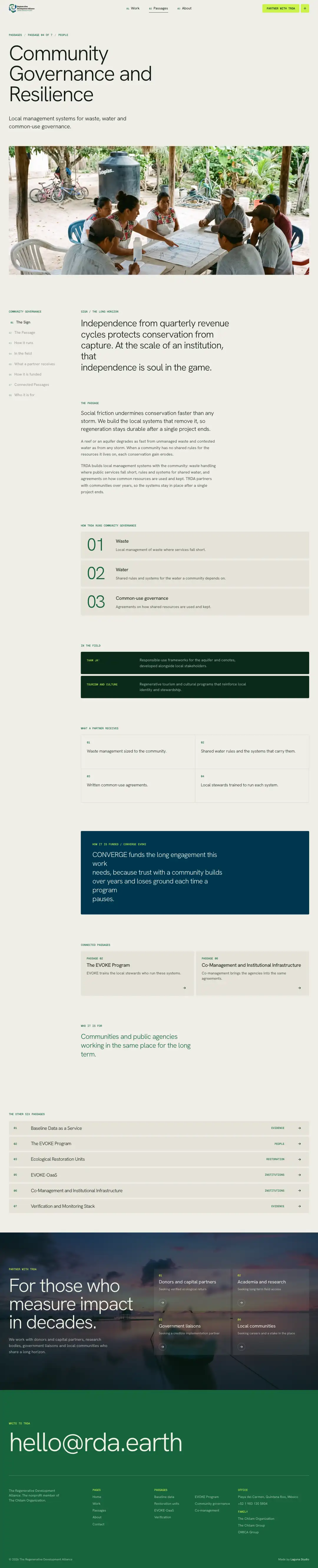
- Photos and alt text › item 18 (Passage · Community governance (wide photo)) › Photo Open in the editor
/media/tr-svc-community-governance.webp - Photos and alt text › item 22 (Menu · photo 1 (decorative)) › Photo Open in the editor
/media/trda-reef-blue.webpNot visible in the screenshot (a slider, menu or hidden layer). - Photos and alt text › item 23 (Menu · photo 2 (decorative)) › Photo Open in the editor
/media/trda-training.webpNot visible in the screenshot (a slider, menu or hidden layer). - Photos and alt text › item 24 (Menu · photo 3 (decorative)) › Photo Open in the editor
/media/trda-coral.webpNot visible in the screenshot (a slider, menu or hidden layer). - Photos and alt text › item 25 (Menu · photo 4 (decorative)) › Photo Open in the editor
/media/trda-cenote-casa.webpNot visible in the screenshot (a slider, menu or hidden layer). - Photos and alt text › item 26 (Menu · photo 5 (decorative)) › Photo Open in the editor
/media/trda-coast2.webpNot visible in the screenshot (a slider, menu or hidden layer). - Photos and alt text › item 5 (Every page · partner band at the foot (decorative)) › Photo Open in the editor
/media/trda-sunrise.webp
2 not editable here
- Built into the page. Ask Laguna to change it.
/img/trda2.svg - Built into the page. Ask Laguna to change it.
/img/trda2-light.svgNot visible in the screenshot (a slider, menu or hidden layer).
/services/evoke-oaas/
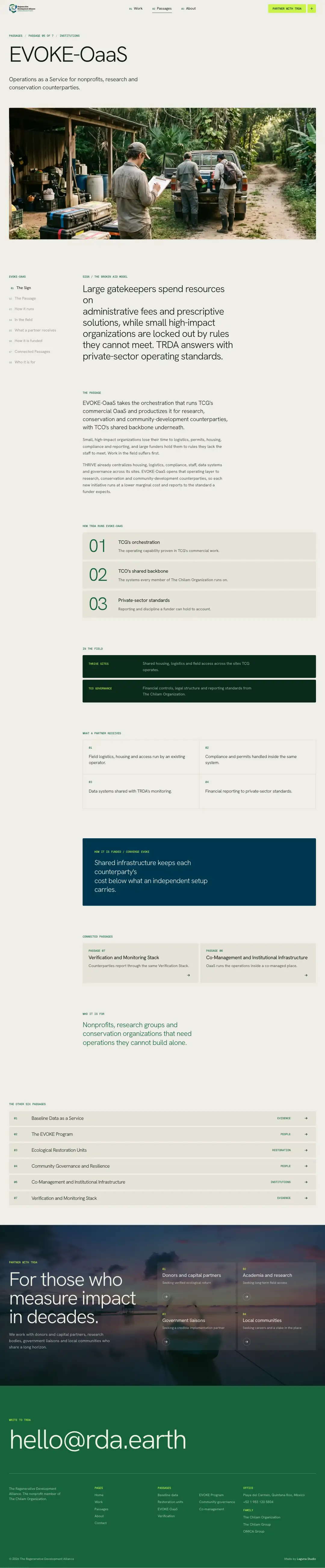
- Photos and alt text › item 19 (Passage · EVOKE-OaaS (wide photo)) › Photo Open in the editor
/media/tr-svc-evoke-oaas.webp - Photos and alt text › item 22 (Menu · photo 1 (decorative)) › Photo Open in the editor
/media/trda-reef-blue.webpNot visible in the screenshot (a slider, menu or hidden layer). - Photos and alt text › item 23 (Menu · photo 2 (decorative)) › Photo Open in the editor
/media/trda-training.webpNot visible in the screenshot (a slider, menu or hidden layer). - Photos and alt text › item 24 (Menu · photo 3 (decorative)) › Photo Open in the editor
/media/trda-coral.webpNot visible in the screenshot (a slider, menu or hidden layer). - Photos and alt text › item 25 (Menu · photo 4 (decorative)) › Photo Open in the editor
/media/trda-cenote-casa.webpNot visible in the screenshot (a slider, menu or hidden layer). - Photos and alt text › item 26 (Menu · photo 5 (decorative)) › Photo Open in the editor
/media/trda-coast2.webpNot visible in the screenshot (a slider, menu or hidden layer). - Photos and alt text › item 5 (Every page · partner band at the foot (decorative)) › Photo Open in the editor
/media/trda-sunrise.webp
2 not editable here
- Built into the page. Ask Laguna to change it.
/img/trda2.svg - Built into the page. Ask Laguna to change it.
/img/trda2-light.svgNot visible in the screenshot (a slider, menu or hidden layer).
/services/evoke-program/
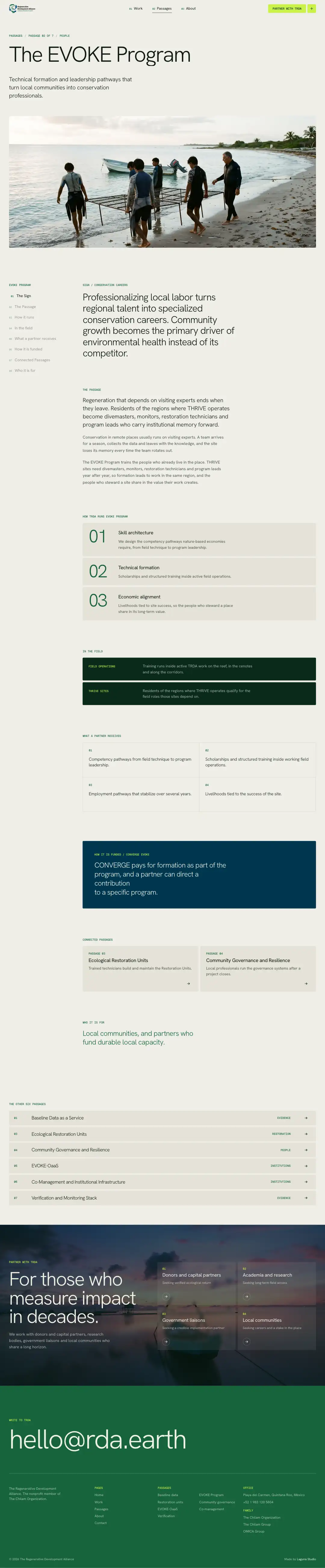
- Photos and alt text › item 16 (Passage · EVOKE Program (wide photo)) › Photo Open in the editor
/media/tr-svc-evoke-program.webp - Photos and alt text › item 22 (Menu · photo 1 (decorative)) › Photo Open in the editor
/media/trda-reef-blue.webpNot visible in the screenshot (a slider, menu or hidden layer). - Photos and alt text › item 23 (Menu · photo 2 (decorative)) › Photo Open in the editor
/media/trda-training.webpNot visible in the screenshot (a slider, menu or hidden layer). - Photos and alt text › item 24 (Menu · photo 3 (decorative)) › Photo Open in the editor
/media/trda-coral.webpNot visible in the screenshot (a slider, menu or hidden layer). - Photos and alt text › item 25 (Menu · photo 4 (decorative)) › Photo Open in the editor
/media/trda-cenote-casa.webpNot visible in the screenshot (a slider, menu or hidden layer). - Photos and alt text › item 26 (Menu · photo 5 (decorative)) › Photo Open in the editor
/media/trda-coast2.webpNot visible in the screenshot (a slider, menu or hidden layer). - Photos and alt text › item 5 (Every page · partner band at the foot (decorative)) › Photo Open in the editor
/media/trda-sunrise.webp
2 not editable here
- Built into the page. Ask Laguna to change it.
/img/trda2.svg - Built into the page. Ask Laguna to change it.
/img/trda2-light.svgNot visible in the screenshot (a slider, menu or hidden layer).
/services/restoration-units/
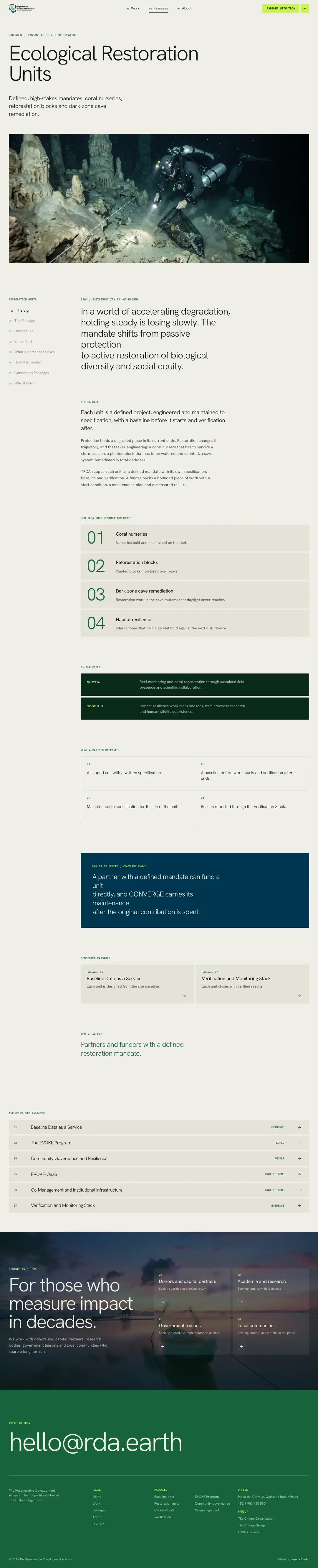
- Photos and alt text › item 17 (Passage · Restoration units (wide photo)) › Photo Open in the editor
/media/tr-svc-restoration-units.webp - Photos and alt text › item 22 (Menu · photo 1 (decorative)) › Photo Open in the editor
/media/trda-reef-blue.webpNot visible in the screenshot (a slider, menu or hidden layer). - Photos and alt text › item 23 (Menu · photo 2 (decorative)) › Photo Open in the editor
/media/trda-training.webpNot visible in the screenshot (a slider, menu or hidden layer). - Photos and alt text › item 24 (Menu · photo 3 (decorative)) › Photo Open in the editor
/media/trda-coral.webpNot visible in the screenshot (a slider, menu or hidden layer). - Photos and alt text › item 25 (Menu · photo 4 (decorative)) › Photo Open in the editor
/media/trda-cenote-casa.webpNot visible in the screenshot (a slider, menu or hidden layer). - Photos and alt text › item 26 (Menu · photo 5 (decorative)) › Photo Open in the editor
/media/trda-coast2.webpNot visible in the screenshot (a slider, menu or hidden layer). - Photos and alt text › item 5 (Every page · partner band at the foot (decorative)) › Photo Open in the editor
/media/trda-sunrise.webp
2 not editable here
- Built into the page. Ask Laguna to change it.
/img/trda2.svg - Built into the page. Ask Laguna to change it.
/img/trda2-light.svgNot visible in the screenshot (a slider, menu or hidden layer).
/services/verification/
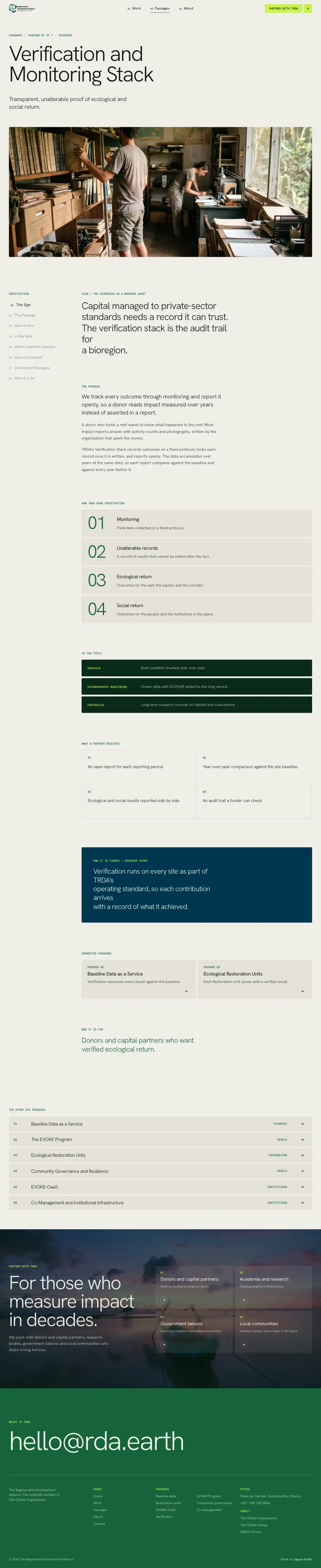
- Photos and alt text › item 21 (Passage · Verification (wide photo)) › Photo Open in the editor
/media/tr-svc-verification.webp - Photos and alt text › item 22 (Menu · photo 1 (decorative)) › Photo Open in the editor
/media/trda-reef-blue.webpNot visible in the screenshot (a slider, menu or hidden layer). - Photos and alt text › item 23 (Menu · photo 2 (decorative)) › Photo Open in the editor
/media/trda-training.webpNot visible in the screenshot (a slider, menu or hidden layer). - Photos and alt text › item 24 (Menu · photo 3 (decorative)) › Photo Open in the editor
/media/trda-coral.webpNot visible in the screenshot (a slider, menu or hidden layer). - Photos and alt text › item 25 (Menu · photo 4 (decorative)) › Photo Open in the editor
/media/trda-cenote-casa.webpNot visible in the screenshot (a slider, menu or hidden layer). - Photos and alt text › item 26 (Menu · photo 5 (decorative)) › Photo Open in the editor
/media/trda-coast2.webpNot visible in the screenshot (a slider, menu or hidden layer). - Photos and alt text › item 5 (Every page · partner band at the foot (decorative)) › Photo Open in the editor
/media/trda-sunrise.webp
2 not editable here
- Built into the page. Ask Laguna to change it.
/img/trda2.svg - Built into the page. Ask Laguna to change it.
/img/trda2-light.svgNot visible in the screenshot (a slider, menu or hidden layer).
/work/
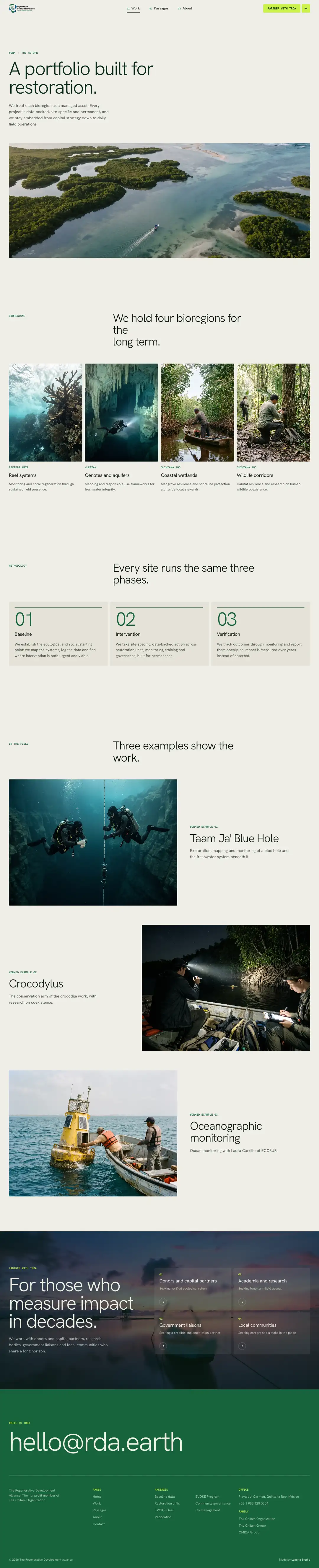
- Photos and alt text › item 22 (Menu · photo 1 (decorative)) › Photo Open in the editor
/media/trda-reef-blue.webpNot visible in the screenshot (a slider, menu or hidden layer). - Photos and alt text › item 23 (Menu · photo 2 (decorative)) › Photo Open in the editor
/media/trda-training.webpNot visible in the screenshot (a slider, menu or hidden layer). - Photos and alt text › item 24 (Menu · photo 3 (decorative)) › Photo Open in the editor
/media/trda-coral.webpNot visible in the screenshot (a slider, menu or hidden layer). - Photos and alt text › item 25 (Menu · photo 4 (decorative)) › Photo Open in the editor
/media/trda-cenote-casa.webpNot visible in the screenshot (a slider, menu or hidden layer). - Photos and alt text › item 26 (Menu · photo 5 (decorative)) › Photo Open in the editor
/media/trda-coast2.webpNot visible in the screenshot (a slider, menu or hidden layer). - Photos and alt text › item 8 (Work page · bioregion · Reef systems) › Photo Open in the editor
/media/tr-reg-1.webp - Photos and alt text › item 9 (Work page · bioregion · Cenotes and aquifers) › Photo Open in the editor
/media/tr-reg-2.webp - Photos and alt text › item 10 (Work page · bioregion · Coastal wetlands) › Photo Open in the editor
/media/tr-reg-3.webp - Photos and alt text › item 11 (Work page · bioregion · Wildlife corridors) › Photo Open in the editor
/media/tr-reg-4.webp - Photos and alt text › item 12 (Work page · worked example · Taam Ja' Blue Hole) › Photo Open in the editor
/media/tr-field-1.webp - Photos and alt text › item 13 (Work page · worked example · Crocodylus) › Photo Open in the editor
/media/tr-field-2.webp - Photos and alt text › item 14 (Work page · worked example · Oceanographic monitoring) › Photo Open in the editor
/media/tr-field-3.webp - Photos and alt text › item 5 (Every page · partner band at the foot (decorative)) › Photo Open in the editor
/media/trda-sunrise.webp
2 not editable here
- Built into the page. Ask Laguna to change it.
/img/trda2.svg - Built into the page. Ask Laguna to change it.
/img/trda2-light.svgNot visible in the screenshot (a slider, menu or hidden layer).